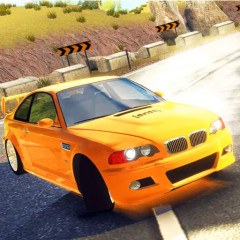
Offroad Life 3D is a realistic off-road driving game where you take control of 4x4 vehicles to navigate through muddy trails and rugged mountain slopes.
Muddy terrain, combined with steep inclines and deep ruts, as shown in the image, directly affects both the vehicle trajectory and how it is handled:
Wheel slippage and deviation: A thick, slippery layer of mud significantly reduces traction, making the front or rear of the vehicle prone to sliding sideways and veering off the path marked by orange traffic cones.
Loss of momentum and sliding backward: On steep, muddy inclines, the high resistance from the soft mud causes the vehicle to decelerate rapidly. If momentum is lost mid climb, the vehicle may easily slide backward or tip over toward the edges of the slope.
Gentle steering and timely corrections: Avoid sharp steering inputs, as wheels on mud respond slowly and are prone to sliding; instead, make gradual steering adjustments and keep the wheels straight when navigating through deep ruts.
Modulate the throttle rather than flooring it: Applying too much throttle causes the wheels to spin in place, digging deeper into the mud. Players should feather the throttle, applying and releasing it steadily, to help the tires regain grip before increasing traction.
Build momentum before hitting muddy inclines: Gain steady speed on the flat ground leading up to the slope, and apply extra acceleration at the right moment, just as you reach the base, to clear the muddiest sections without getting stuck.
Single player mode
Driving, accelerating, and braking (1 player): Use the W, A, S, D keys or the arrow keys to steer, move forward or backward, and balance the vehicle.
Two-player mode
Player 1 uses the W, A, S, D keys.
Player 2 uses the arrow keys.
Nitro boost: Press Shift (or N for Player 2, depending on the version) to gain extra thrust for climbing steep slopes or navigating through deep mud.
Reset vehicle position: Press R (or P for Player 2; alternatively, click the circular arrow icon on the interface).
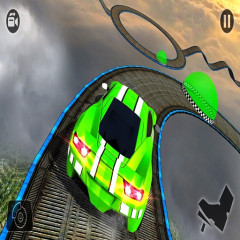
If you enjoy mastering vehicle balance and throttle control on rugged terrain in Offroad Life 3D, you will also love pushing your driving skills to the limit on extreme tracks in Hyper Cars Stunt Racing.