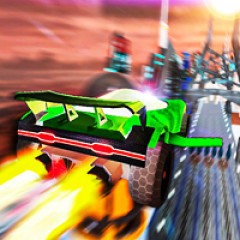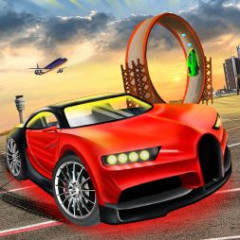
Track Masters 3D is a high-speed 3D racing game where you drive your vehicle through tracks filled with twists, loops, and challenges to compete against rivals.
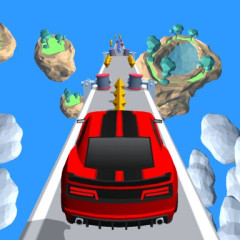
Before starting the race, Track Masters 3D requires you to choose your vehicle. The car selection screen currently has two options: a red car and a blue car, each with its own sporty design and visual appeal. This is the first step for players to familiarize themselves with the car system before officially participating in the races.
The red car has a striking design with a deep red body, creating a powerful and dynamic feel. Meanwhile, the blue car boasts a striking blue color with a modern sporty style. These two options help you decide which car will accompany you in the early stages of career mode based on your personal preference.
To control your car and overtake opponents, you need to know how to perform the following techniques:
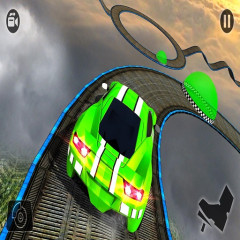
The tracks in the game don't follow a typical flat route like Car Stunt Racing Stylized. You will face sharp turns, loops, and sections with varying elevations.
When preparing to enter a corner, slow down just enough to keep the car stable. After passing the dangerous area, you can accelerate again to regain distance from your opponent.
With loops, it's important to maintain enough speed so the car doesn't lose momentum. Timing your acceleration will help you overtake them more smoothly.
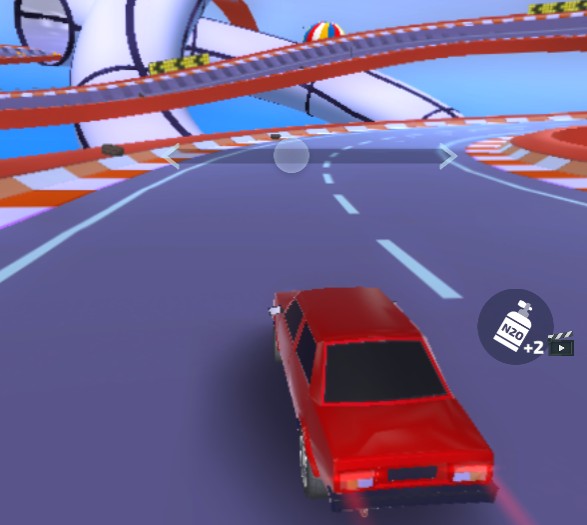
Nitrogen is one of the important tools to help you gain an advantage in the race. When activated, the car accelerates quickly, allowing you to close the gap or overtake opponents in a short time.
However, you shouldn't use nitro indiscriminately. Straight sections of track are often ideal for activating nitro boosts. Using nitro right before a sharp turn can result in excessive speed, making it difficult to control the car.
In addition to nitro, Track Masters 3D also provides shields to protect your car from certain hazards on the track. This is a useful tool when you're about to pass through areas with many traps or obstacles.
Using shields at the right time can help you maintain your position instead of having to slow down or suffer the effects of a collision. Therefore, save it for truly dangerous areas instead of activating it whenever possible.
Track Masters 3D uses a simple click-and-drag control system to steer the car. When you press and hold the mouse button, a horizontal bar with a white dot in the middle appears above the car. Keep holding the mouse button and drag the cursor toward the side you want the car to move, then release when you reach the desired direction.